MicroZed Chronicles: RF Signal Processing
Over the twelve years of this blog, we have looked at many different tools for developing FPGA and SoC designs. Many we use often, such as Vivado, Vitis, and PetaLinux. Others, over the years, have been merged into or evolved into new products, for example SDSoC.
One tool we have only touched on is Vitis Model Composer. This add-on for MATLAB and Simulink provides developers with a number of HDL and HLS blocks which can be connected to create FPGA solutions.
Vitis Model Composer makes programmable logic available to those who have traditionally developed algorithms in Simulink. It also makes the wider world of MATLAB and Simulink available to traditional programmable logic developers.
As I was teaching myself how to work with Vitis Model Composer, I thought I would create a simple AM modulator and demodulator. Nothing overly complex, but something which demonstrated a nice use case for Vitis Model Composer, especially in verification, as we can easily see FFTs of the demodulated signal.


Of course, FPGAs are great for signal processing and communications, which got me thinking about a new development board I had recently received, the Red Pitaya Gen 2.
Based around the Zynq 7010 and 7020, the Red Pitaya provides developers with two 14-bit, 125 MSPS ADCs, the LTC2145-14, and DACs, the AD9767.
Combined with 16 digital I/O provided on the expansion connector, along with four additional analogue inputs connected directly to XADC inputs and four additional analogue outputs which can be driven using PWM or a delta-sigma DAC, it offers a very capable mixed-signal platform.
The Red Pitaya is a very interesting instrument as, unlike most development boards, it comes with complete application support which works with the ADCs and DACs to enable full applications to be created.
This application layer provides a programmable logic implementation which interacts with the ADCs and DACs, along with a full software stack which can be accessed standalone or used as part of an application controlled by MATLAB or Python.
To get started with the Red Pitaya, I thought it would be a good idea to look at the analogue performance. To do this, I used the Red Pitaya combined with the Tiny Spectrum Analyser. This combination enabled me to observe the performance of both the DAC output and the ADC input.
For both ADC and DAC testing, I used three frequencies, 10 MHz, 20 MHz, and 50 MHz, generated as sine waves from either the Red Pitaya or the TinySA.
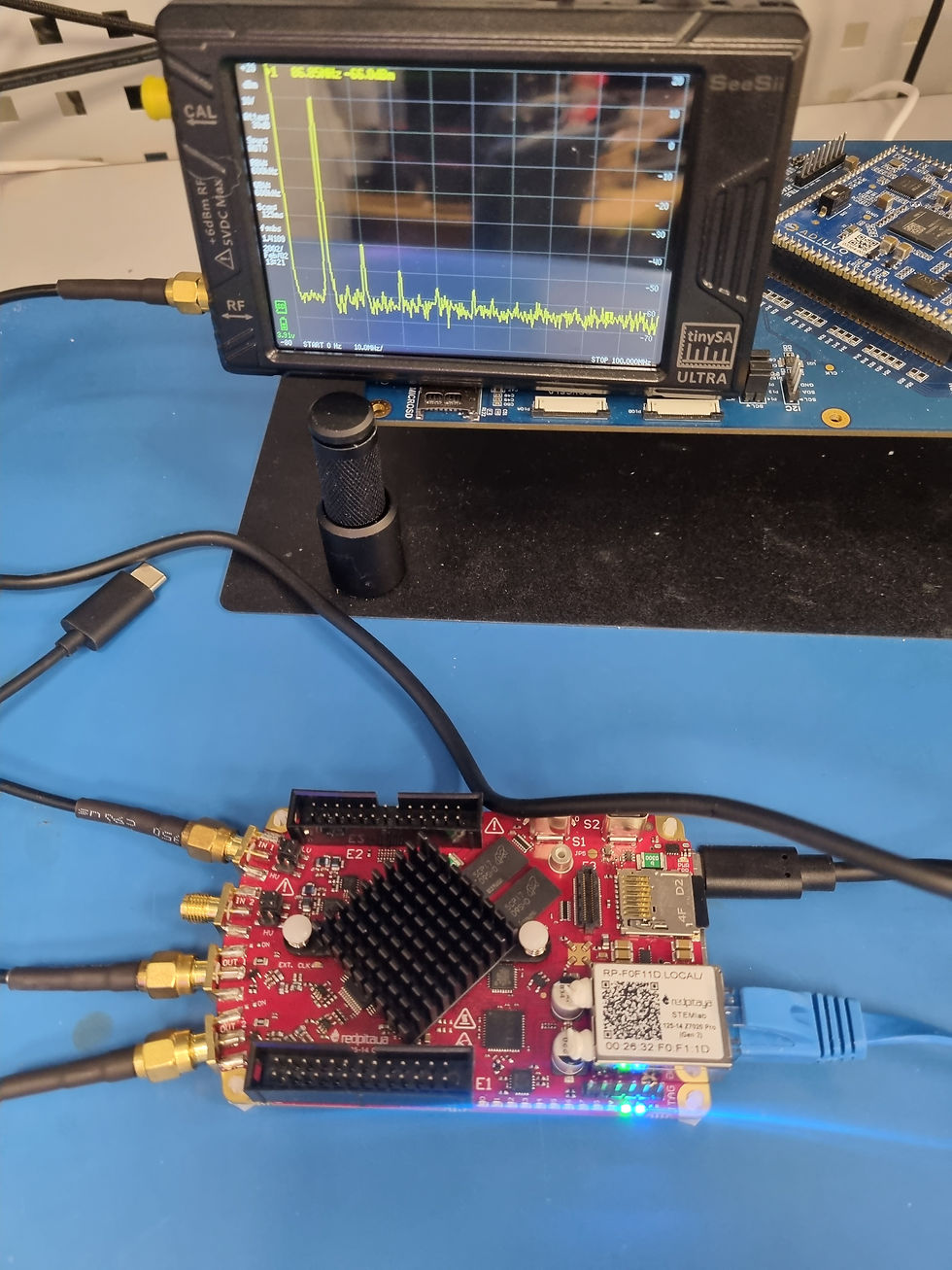

Looking at the output of the Red Pitaya DAC across the three selected frequencies, we can see the fundamentals and the associated harmonics. This is to be expected, as the only filtering on the output of the DAC is a low-pass filter with a cut-off of approximately 50 MHz, which makes sense for a 125 MSPS sampling frequency. However, if I wanted to generate a lower frequency signal, I might use an additional filter.

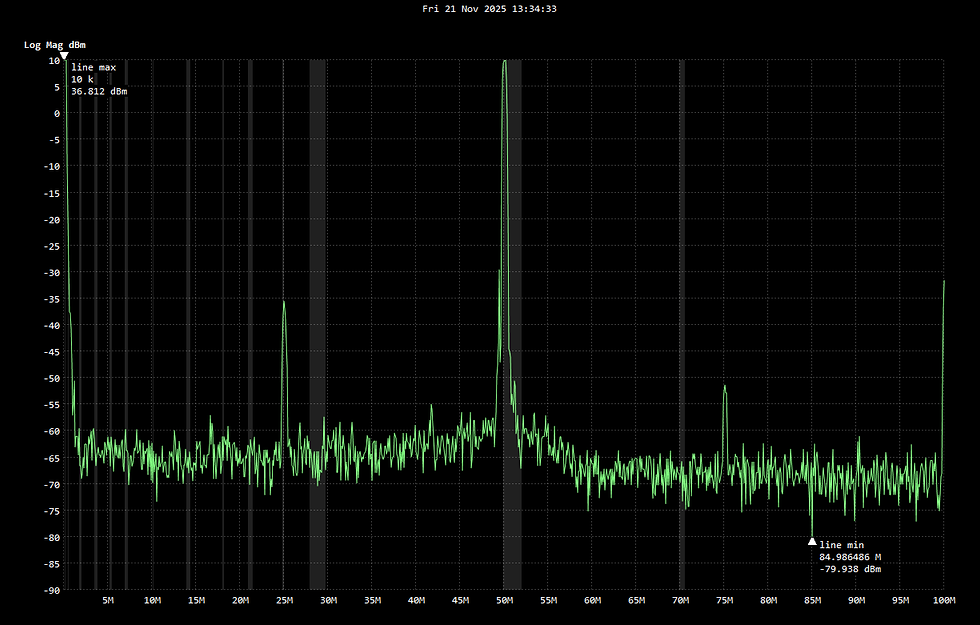

Using the TinySA to generate input tones and plotting the spectrum of the received tones with the Red Pitaya, we can see the ADC performance. The tone at 60 MHz shows the impact of the low-pass filter in the front end.


Again, we can see harmonics from the generated tone.
I like the idea behind the Red Pitaya. It provides simple analogue RF interfacing which works out of the box with a range of applications. One thing I want to do over the holidays is to look at how I can build my own application in the programmable logic, leveraging the ADCs and DACs, perhaps using some of the designs I created in Vitis Model Composer.
Happy holidays, and thank you for reading the blogs over the years. 2026 will be even better.
FPGA Conference
FPGA Horizons US East - April 28th, 29th 2026 - THE FPGA Conference, find out more here.
FPGA Journal
Read about cutting edge FPGA developments, in the FPGA Horizons Journal or contribute an article.
Workshops and Webinars:
If you enjoyed the blog why not take a look at the free webinars, workshops and training courses we have created over the years. Highlights include:
Upcoming Webinars Timing, RTL Creation, FPGA Math and Mixed Signal
Professional PYNQ Learn how to use PYNQ in your developments
Introduction to Vivado learn how to use AMD Vivado
Ultra96, MiniZed & ZU1 three day course looking at HW, SW and PetaLinux
Arty Z7-20 Class looking at HW, SW and PetaLinux
Mastering MicroBlaze learn how to create MicroBlaze solutions
HLS Hero Workshop learn how to create High Level Synthesis based solutions
Perfecting Petalinux learn how to create and work with PetaLinux OS
Boards
Get an Adiuvo development board:
Adiuvo Embedded System Development board - Embedded System Development Board
Adiuvo Embedded System Tile - Low Risk way to add a FPGA to your design.
SpaceWire CODEC - SpaceWire CODEC, digital download, AXIS Interfaces
SpaceWire RMAP Initiator - SpaceWire RMAP Initiator, digital download, AXIS & AXI4 Interfaces
SpaceWire RMAP Target - SpaceWire Target, digital download, AXI4 and AXIS Interfaces
Embedded System Book
Do you want to know more about designing embedded systems from scratch? Check out our book on creating embedded systems. This book will walk you through all the stages of requirements, architecture, component selection, schematics, layout, and FPGA / software design. We designed and manufactured the board at the heart of the book! The schematics and layout are available in Altium here. Learn more about the board (see previous blogs on Bring up, DDR validation, USB, Sensors) and view the schematics here.
Sponsored by AMD